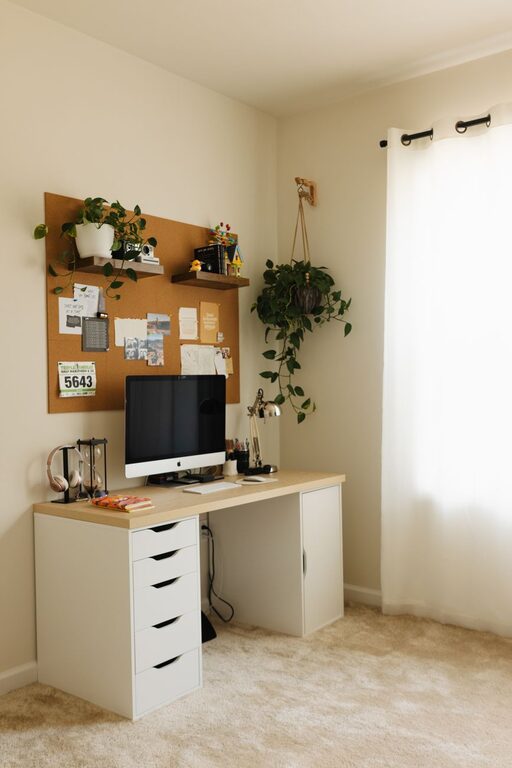
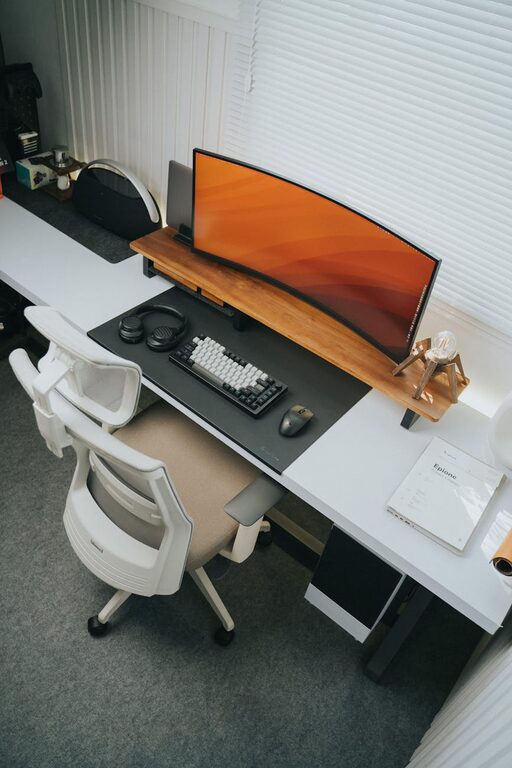
Creating a workspace that is both functional and inspiring can be a game-changer for your productivity and creativity. A cluttered desk often leads to distractions and stress, while an organized area can clear your mind and help you focus. Whether you work from home or an office, these tips will help you design a workspace free from clutter and full of energy.
Why a Clutter-Free Workspace Matters
Before diving into the how-to, it helps to understand why maintaining an organized workspace contributes to better work outcomes. A tidy environment:
– Reduces stress by eliminating visual distractions
– Saves time by making it easier to find tools and documents
– Encourages efficient workflow and task management
– Sparks creativity by providing a clear and inviting space
Now, let’s explore practical ways you can achieve this.
Step 1: Clear Everything and Start Fresh
Begin by removing all items from your desk and surrounding areas. This gives you a blank slate to rethink what really needs to stay. Clean the surfaces thoroughly before you put anything back.
Ask yourself:
– What do I use daily?
– What items can be stored elsewhere?
– Are there duplicate tools or supplies I don’t need?
Only keep essentials on your desk to avoid overcrowding.
Step 2: Prioritize Desk Essentials
Focus on items that support your daily workflow. Typical essentials might include:
– Computer or laptop
– Notepads and pens
– A planner or calendar
– Headphones
– A water bottle or coffee mug
Make sure these items have a dedicated, easy-to-reach spot. Consider using drawer organizers or desktop trays to keep small tools like paper clips and sticky notes neatly contained.
Step 3: Use Smart Storage Solutions
Storage is key to preventing clutter. Here are some ideas:
– Drawers and shelves: Store documents, books, and rarely used items here.
– Cable management: Use clips or sleeves to keep wires untangled and out of sight.
– Desk organizers: Compartments for pens, paper, and gadgets help keep things orderly.
– Vertical space: Use wall-mounted shelves or pegboards to free up desk surface.
Pick storage solutions that match your available space and style, making the area feel inviting instead of cramped.
Step 4: Implement a Regular Cleaning Routine
A clutter-free workspace is easier to keep if you maintain it. Set aside a few minutes at the end of each day or week to:
– Clear any accumulated papers or trash
– Put things back in their designated spots
– Wipe down your desk and equipment
This small habit prevents buildup and keeps your environment motivating.
Step 5: Personalize Thoughtfully
Adding personal touches can make your workspace feel more comfortable and inspiring. However, avoid overdecorating, as too many items can become distractions. Some simple personalization ideas include:
– A favorite photo in a small frame
– A plant or succulent for a touch of greenery
– Motivational quotes on a corkboard or wall
– A tasteful desk lamp with warm lighting
Personal elements should enhance your mood without creating clutter.
Step 6: Optimize Lighting and Ergonomics
While not directly related to clutter, the right lighting and ergonomic setup support productivity and creativity by reducing fatigue and discomfort.
– Position your desk near natural light if possible
– Use adjustable lighting to avoid glare on screens
– Choose an ergonomic chair and maintain good posture
– Keep your monitor at eye level to reduce neck strain
A comfortable workspace helps you stay focused longer.
Step 7: Digitize When Possible
Reduce paper clutter by moving more tasks online:
– Scan and save important documents digitally
– Use digital notes instead of physical sticky notes
– Manage tasks with apps and calendars
– Keep digital backups to avoid unnecessary paper copies
Digitizing simplifies storage and makes your workspace less crowded.
Bonus Tips for Staying Clutter-Free
– Set limits: For example, no more than three books or folders on your desk at once.
– One-in, one-out rule: When adding new items, remove something old to maintain balance.
– Designate “clutter zones”: Keep a small basket or tray for items that need sorting later to avoid spreading mess around.
– Focus zones: Create specific areas for different functions, such as a reading corner or a brainstorming space.
Final Thoughts
A clutter-free workspace is not just about looking neat; it’s about making your environment work for you. By following these tips, you can enjoy a space that supports your productivity and unlocks your creativity every day. Take the time to organize thoughtfully and maintain your space with simple routines — your work and well-being will thank you for it.
—
Remember, organizing is a personal process. Feel free to adapt these suggestions to what suits your workflow and preferences best!
About the Author